Screenshot protection
Screenshots and screen recordings can’t be taken on credential, QR, approval and PIN screens; this is always on and cannot be turned off.
Topics in this guide
Steps
Step 1: Try taking a screenshot on a sensitive screen
No image is taken, or it comes out black. This is not a bug.
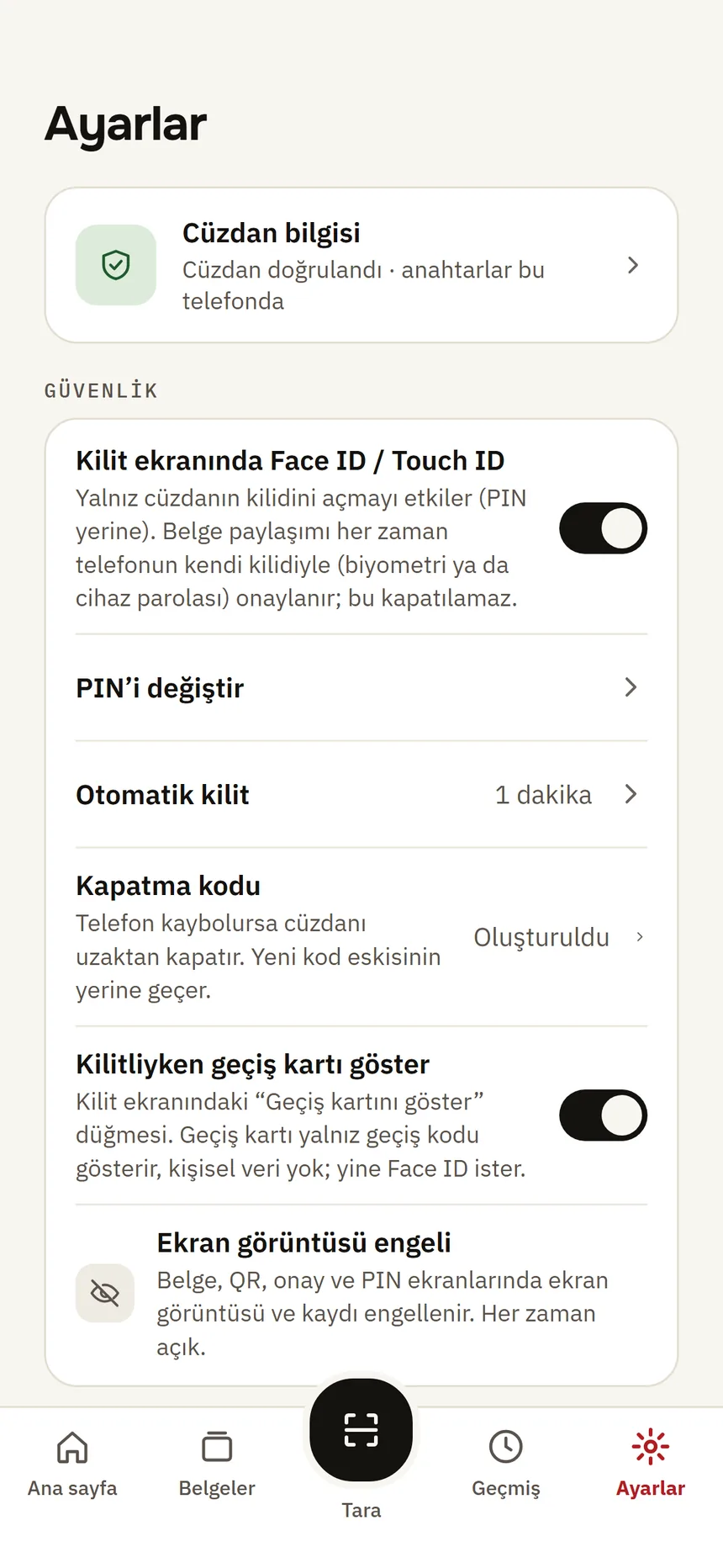
Security settings Step 2: See the setting: Settings → Security
The “Screenshot protection” row says it is always on.
Step 3: If you need to show a credential to someone, use a sharing flow
Instead of sending a screenshot, show it on a website or show it in person.
Good to know
- The purpose: copies of your credential should not circulate.
- Turnstiles do not accept screenshots anyway; the access pass shows a live clock.
- It is also blocked in the identity verification window and on the revocation code screen.