Requests with options, and missing information
Some websites ask for one of several options or for optional information; you choose what is sent. If they ask for something your credential does not have, nothing is sent.
Topics in this guide
Steps
Step 1: Look at the “Options” card on the approval screen
Each group of options is labelled Required or Optional.
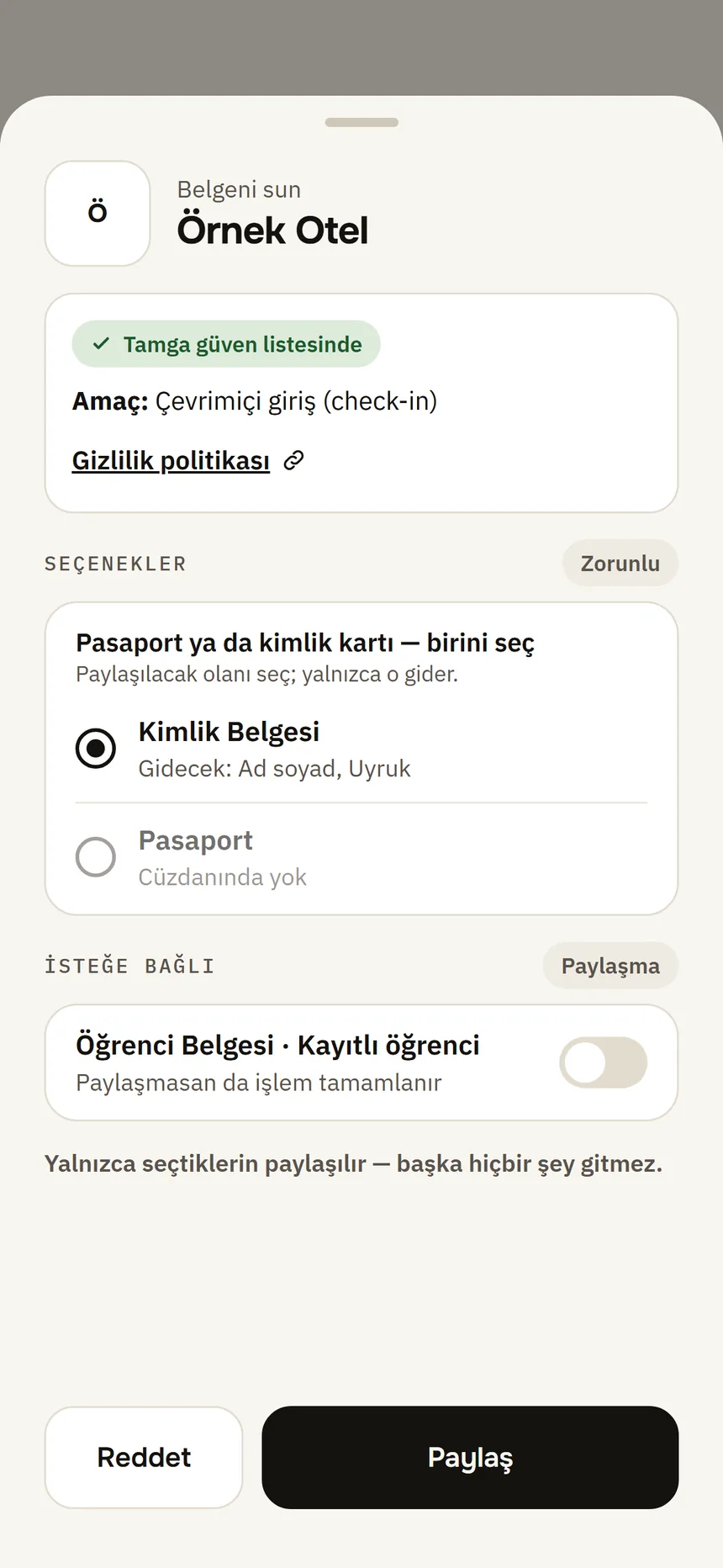
Share approval Step 2: If it is required, choose one
“The verifier needs one of these. Choose what to share — only that is sent.”
Step 3: If it is optional, decide
You can finish without sharing it. Optional information is not sent unless you turn it on; if you do not want to, leave Don't share selected.
Step 4: If something missing from your credential is requested, read the message
The wallet never sends a credential with missing information; it tells you why (see the table below).
Step 5: Get or refresh what is needed, then scan again
Get the missing credential from the institution or refresh yours; then scan the QR code on the website again.
| Message | What to do |
|---|---|
| “This request needs this credential: … There is none in your wallet.” | Get that credential from the institution: Get a credential. |
| “This request asks for information that is not in your credential (…): … A credential is never sent with missing information.” | Your credential does not have that field. Get an up-to-date credential from the institution or ask the website for another way. |
| “Your credential (…) does not meet this request's condition: …” | Your credential does not meet the condition (e.g. over 18); nothing is shared. |
| “All copies of this credential have been used; get it from the institution again.” | On the credential page, tap Refresh copies: Expiry and refreshing copies. |
Good to know
- Only the fields you choose and approve are sent; the rest stays on your phone.
- Requested fields that are not in your credential are listed separately and are not sent.
Related guides
- Show a credential on a websiteThe website shows a QR code; you scan it with Scan, see who is asking for what and why, and approve only those fields.
- Request a credential from the institution listYou pick the institution from the in-app list and request the credential; the institution matches your identity credential with its own record and sends it.
- Expiry, notifications and refreshing copiesThe wallet warns you before a credential expires; when copies run low you get new ones from the institution.