Ask an organisation to delete your data, or report it
You can ask an organisation you showed information to to delete your data, or report a suspicious request to the data protection authority. The wallet prepares the text; you send it.
Topics in this guide
Before you start
- You have shown information to that organisation before.
Steps
Step 1: Open the organisation
Settings → Who I've shared with → the organisation. Or tap the sharing entry in History.
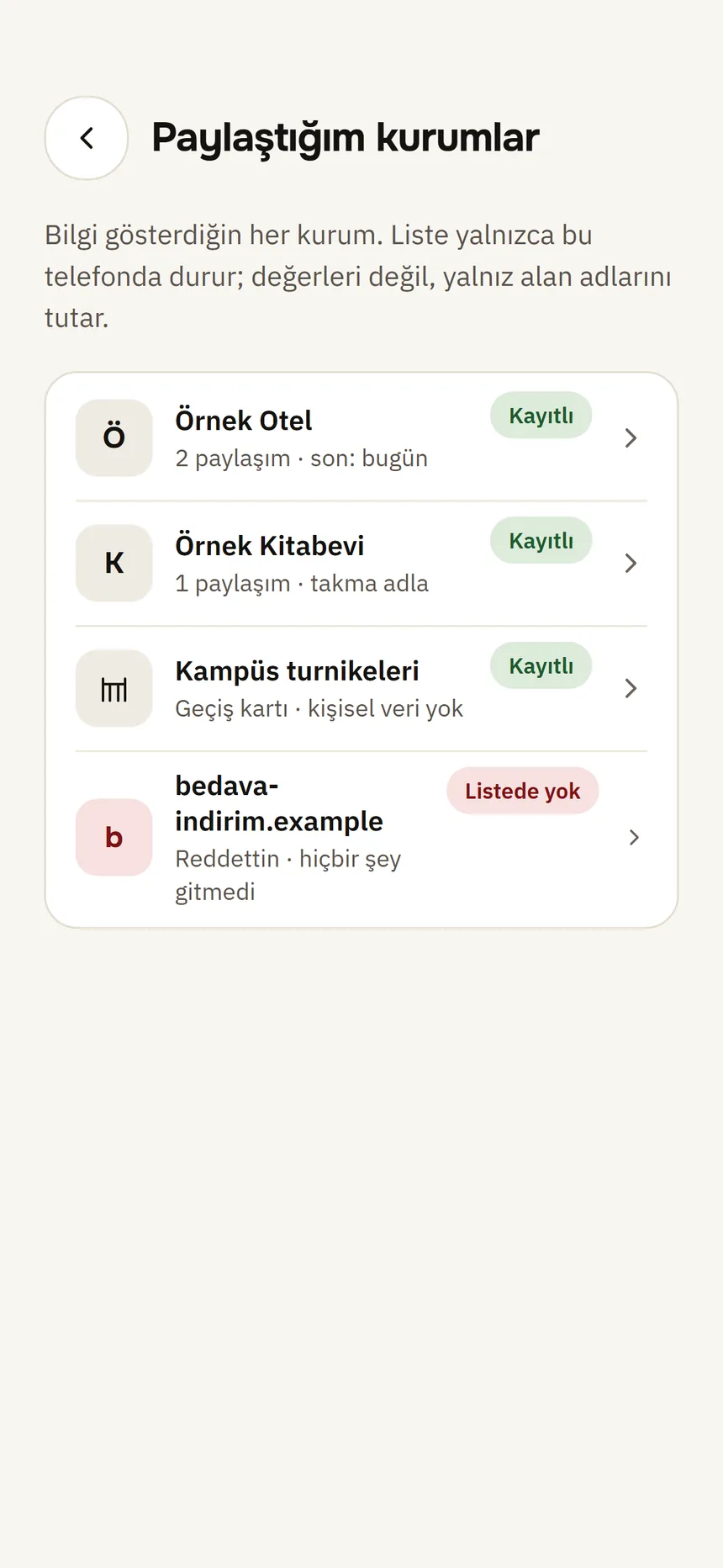
Shared with Step 2: Tap Ask them to delete my data
For a suspicious request, use Report to the data protection authority in the same place.
Step 3: Choose a channel
Website, Email or Phone — the organisation's registered channels. A report goes to the verifier's registered data protection authority; if none is registered, to Türkiye's Personal Data Protection Authority (KVKK).
Step 4: Check the “Text to be sent”
The deletion request cites KVKK Article 11 and GDPR Article 17. It contains only field names, never values.
Step 5: Send it
Open in email opens it in your mail app; you can edit it before sending. For a website or phone call the text is not passed on automatically: press and hold to copy it and pass it on yourself.
Good to know
- Tamga is not involved; you send the request yourself.
- The request is written to History and appears under “Your requests” on the organisation's page.
- If the organisation registered no channel, it says “This verifier has not registered a contact channel.”
- You can report an unregistered or over-asking verifier straight from the approval screen: Unregistered verifier.
- Deleting your records at Tamga is separate: Delete my data.
Related guides
- Who I've shared withYou see every organisation you have shown information to, and what you shared when, in one list; from here you can ask for deletion or report.
- Unregistered verifier and excessive request warningsIf the requester is not in the Tamga trusted list, or asks for more than its registered permission, the wallet shows a red warning; you do not have to share.
- Check your activity historyThe History tab lists who you showed which fields to and when, and which credentials you received; the log stays on this phone only.