Delete a credential
You delete a credential and its keys from this phone; you can get it from the institution again if you want.
Topics in this guide
Steps
Step 1: Open the credential
Tap it in the Documents tab.
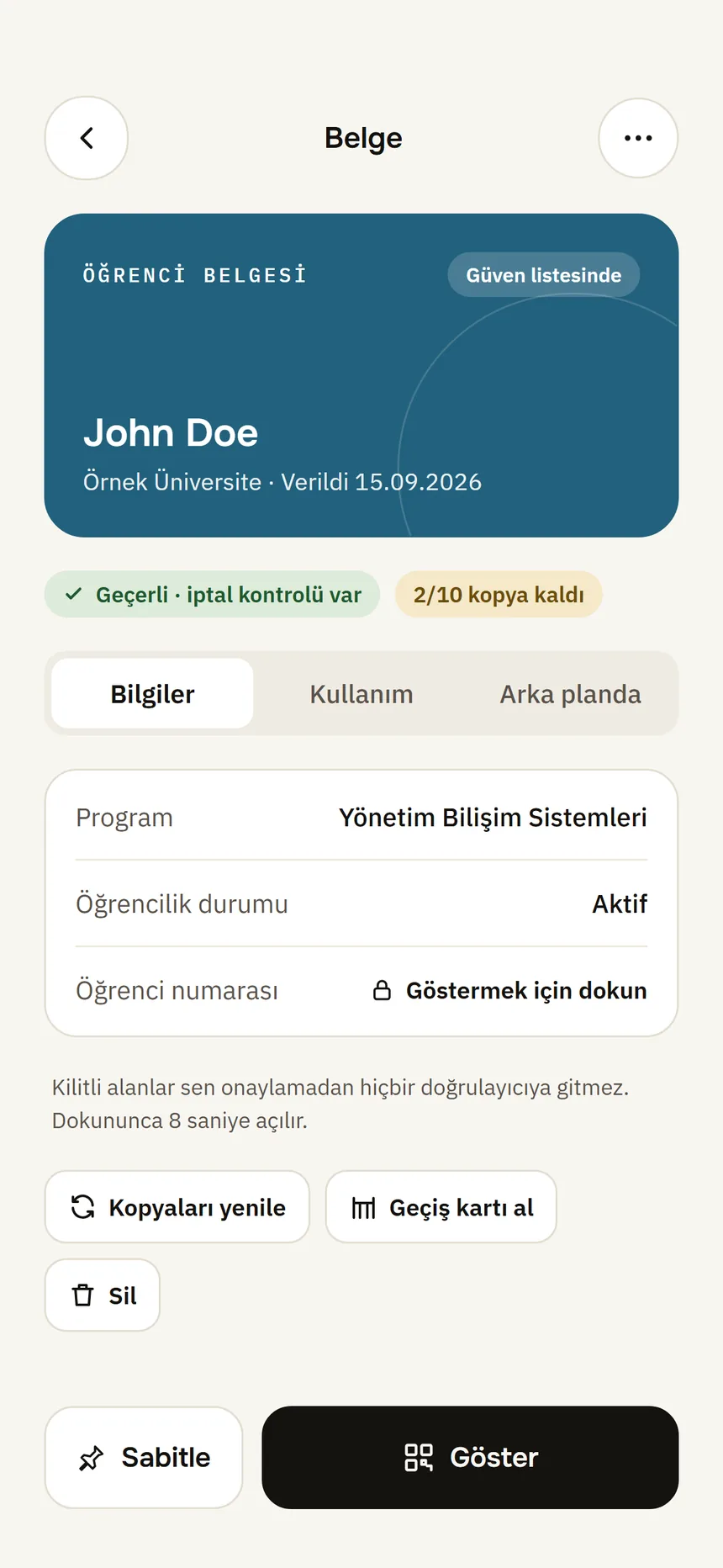
Document detail Step 2: Tap Delete credential
It is among the small actions at the bottom of the page.
Step 3: At “Delete the credential?”, tap Delete
The credential is removed from this phone.
Good to know
- Its keys are deleted too; you can get the credential from the institution again.
- The deletion is written to History as “Credential deleted from this phone”.
- Deleting does not notify the institution or the places you showed it to. For the data they hold: Ask for deletion.
- To delete the whole wallet: Settings → Reset wallet: Delete my data.
Related guides
- Ask an organisation to delete your data, or report itYou can ask an organisation you showed information to to delete your data, or report a suspicious request to the data protection authority. The wallet prepares the text; you send it.
- Open a credential's detailsOn the credential page you see what it contains, where it was used and its technical details.