EU-aligned digital wallet · The first wallet of Tamga Network
Your documents in your pocket. You're in control.
Carry your diploma, student card and tickets on your phone. Never show more than needed: only what is asked, only with your approval.


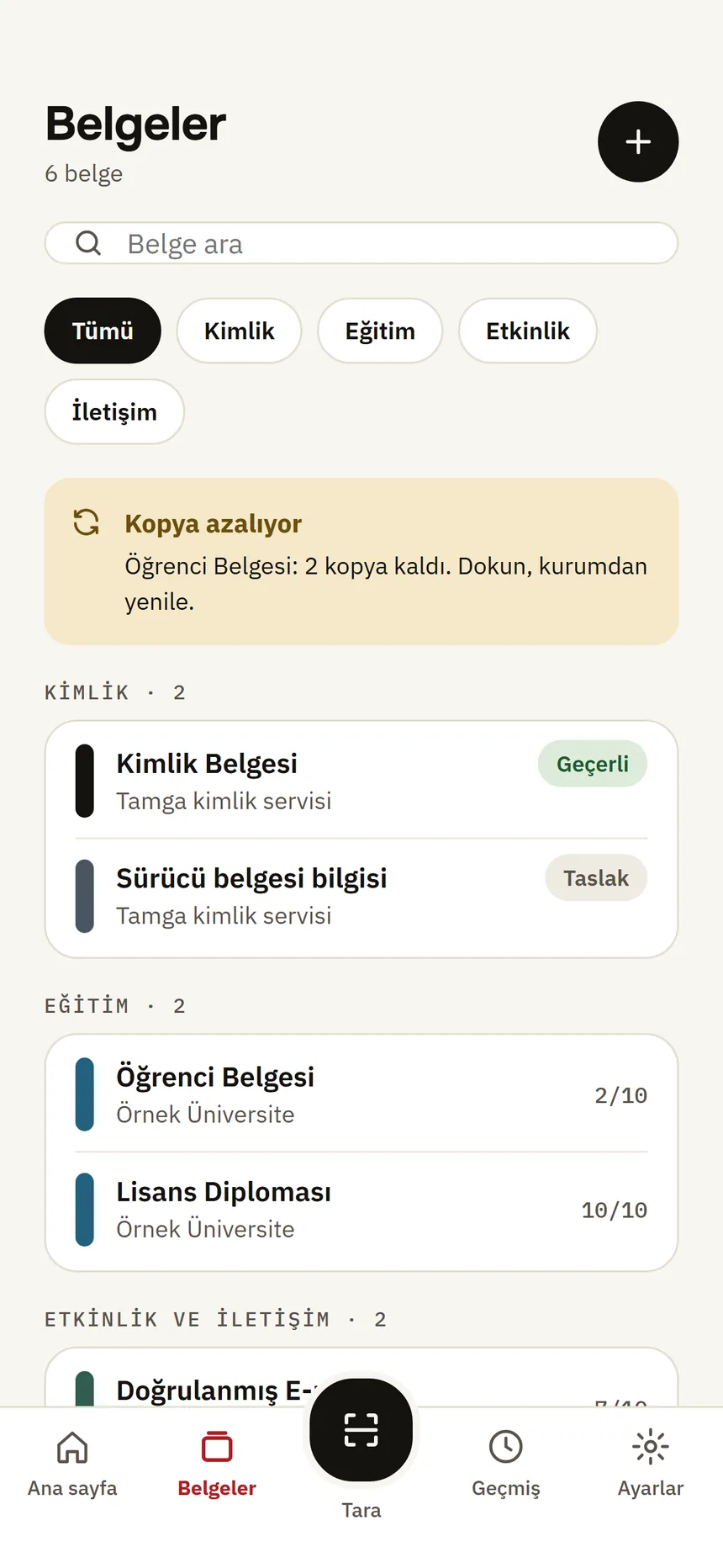
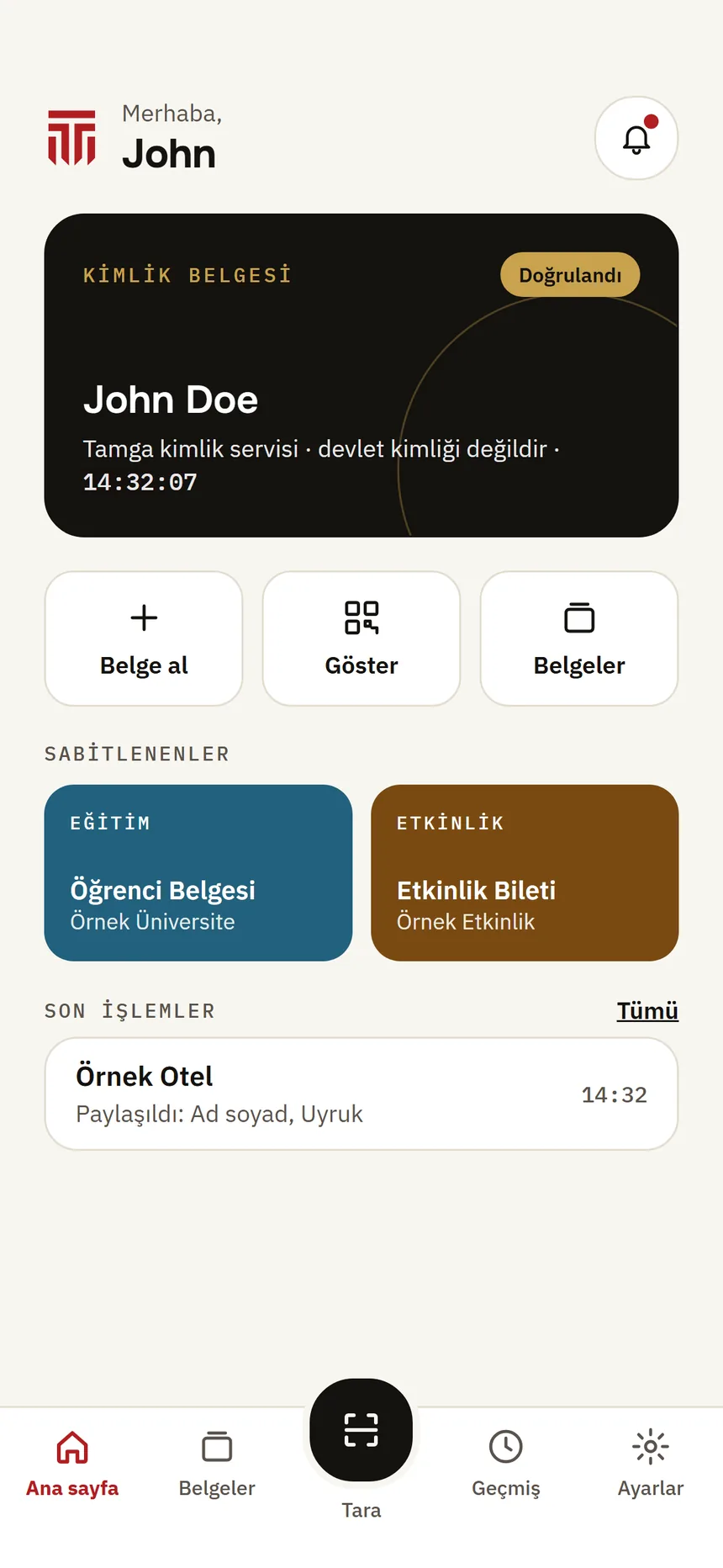
Five reasons
Why Tamga Wallet?
A simple, safe way to carry your documents.
- 01
Your documents stay on your phone
Documents are kept on your phone, encrypted; Tamga keeps no copy.
- 02
Nothing leaves without your approval
You see who is asking, for what and why; you approve every sharing with your phone's lock.
- 03
EU-compatible
Uses the same open standards as Europe's digital identity wallets.
- 04
Connected to Tamga Network
Institutions are read from a signed trust list; documents are not accepted from institutions that are not on it.
- 05
No account, no password
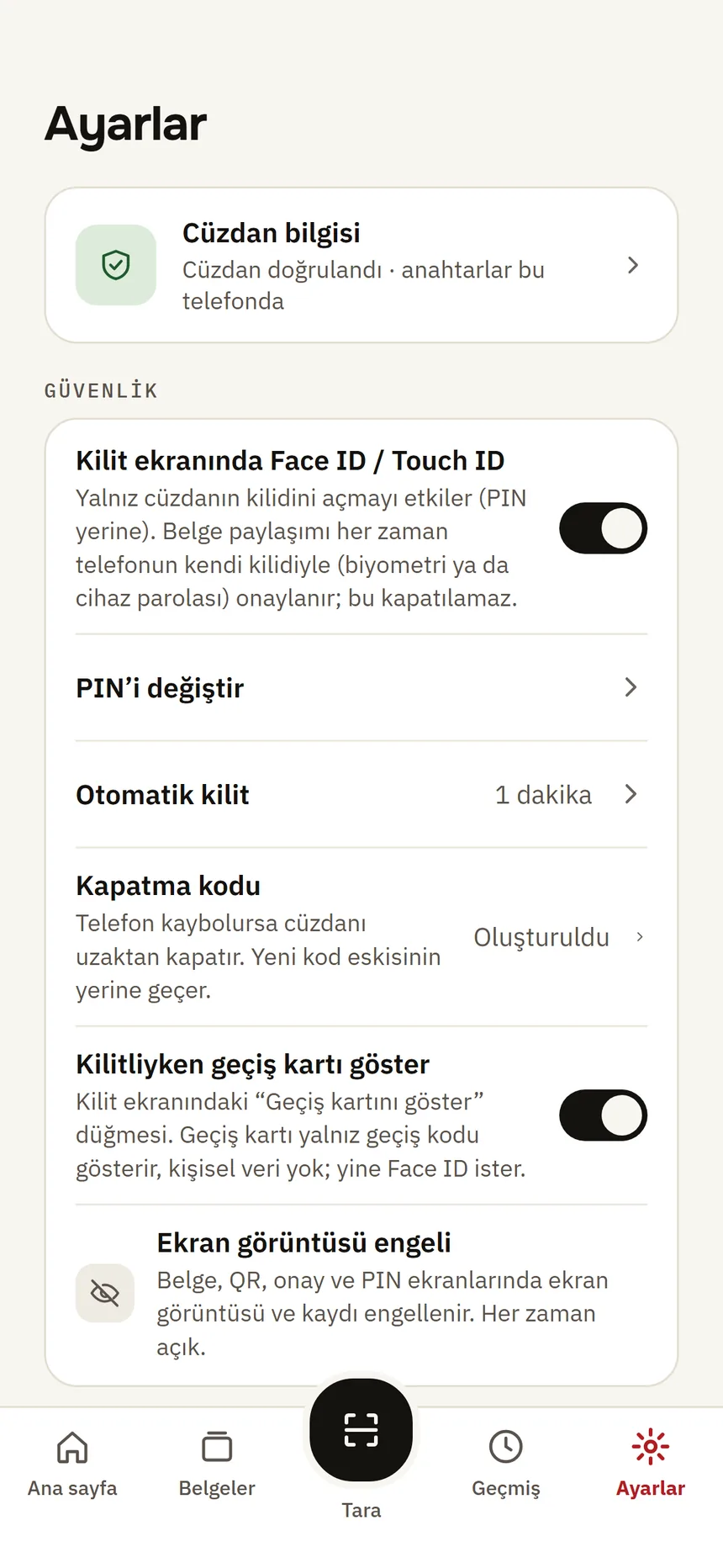
No account to open, no password to remember; you open your wallet with your PIN or Face ID / Touch ID.
How it works
Three steps. That's it.
- 01
Receive
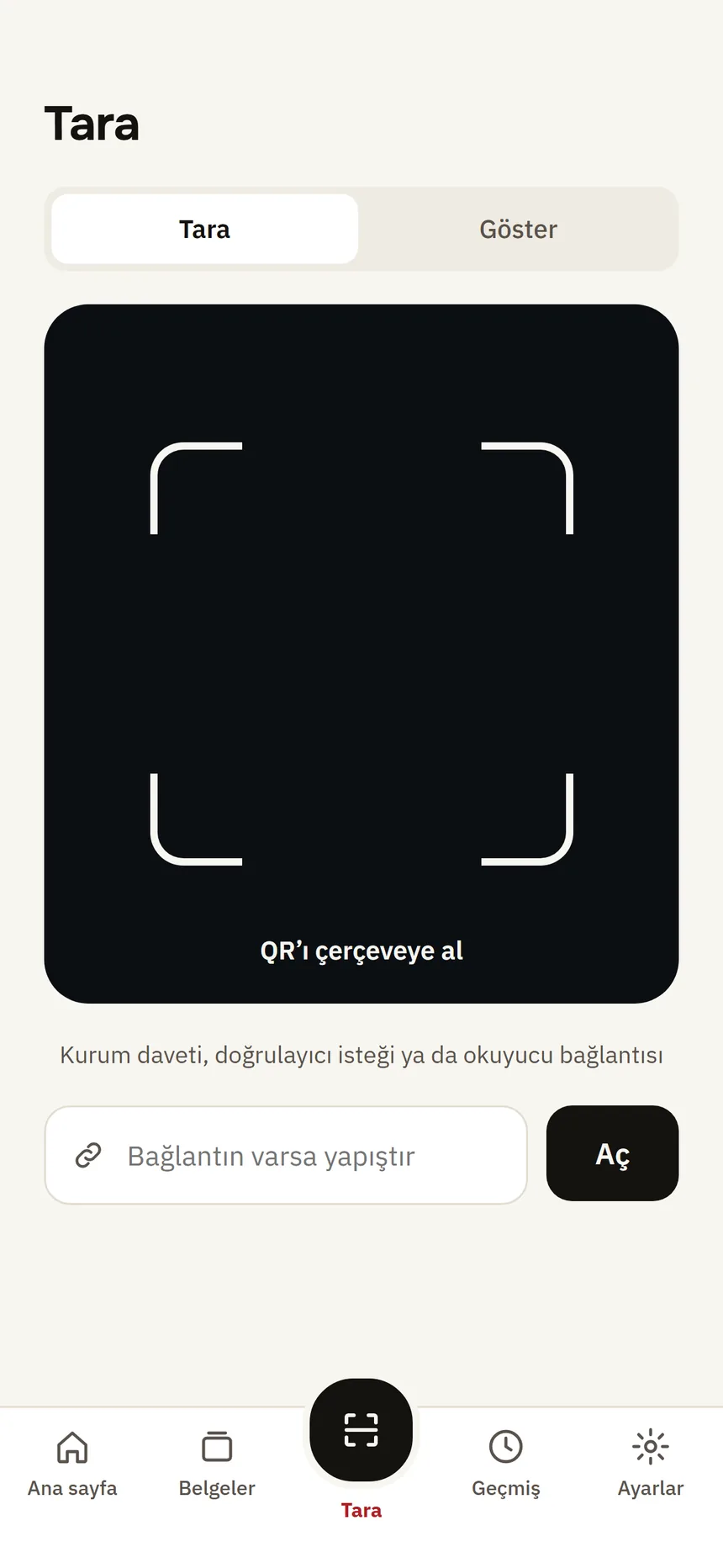
Scan the QR code the institution shows you, or pick the institution from the list in the app. The document arrives in your wallet, signed by the institution.
- 02
Keep
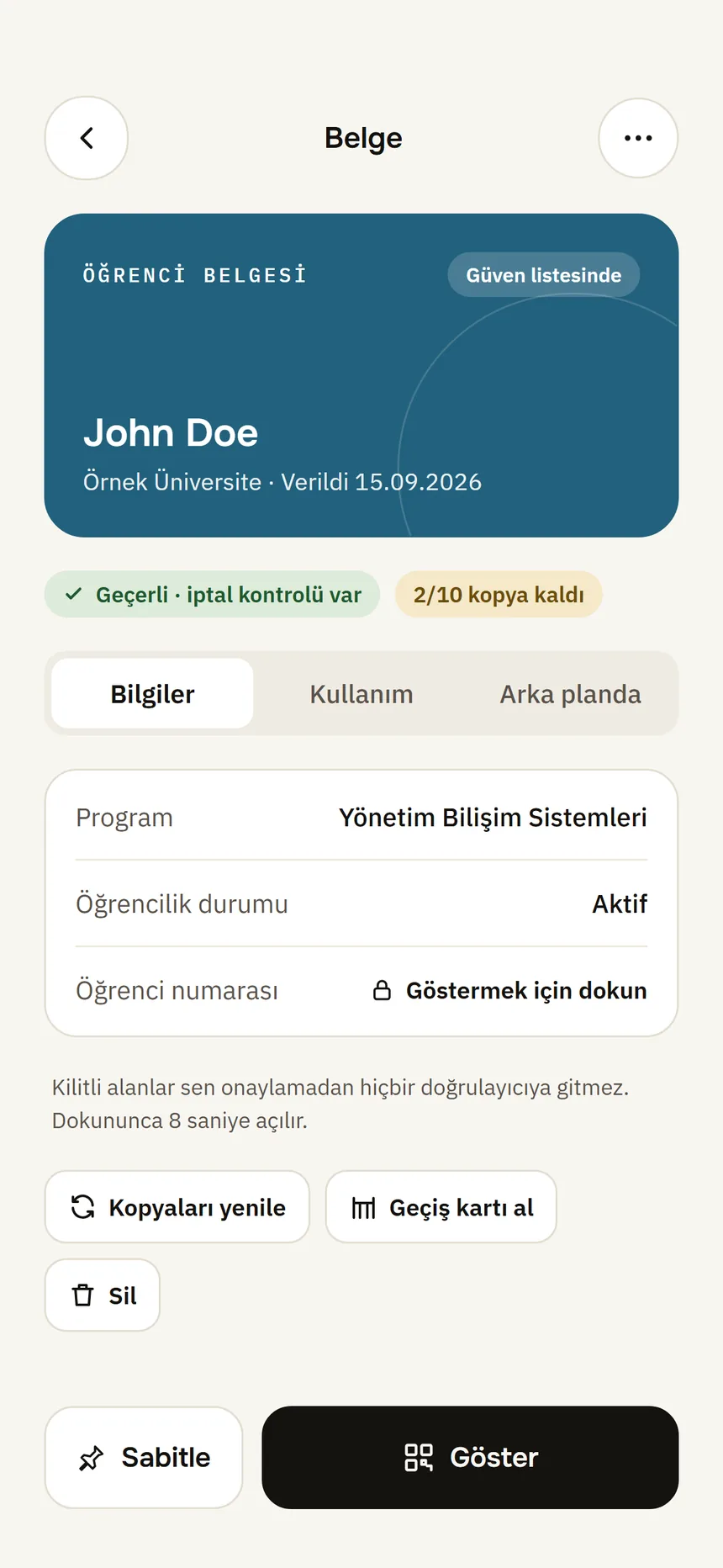
Your document stays only on your phone, encrypted; Tamga keeps no copy. The issuing institution keeps its own record; details are in the privacy policy.
- 03
Show
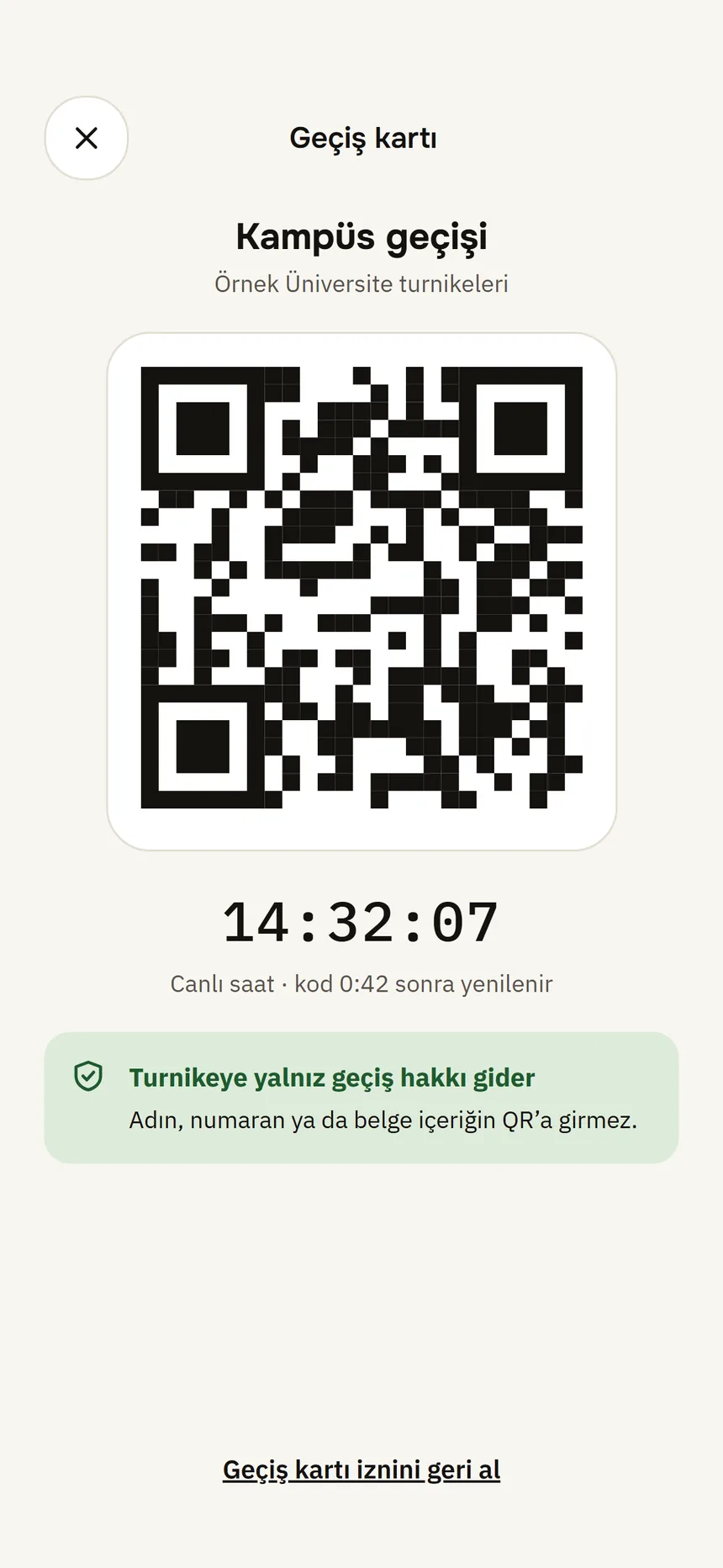
When a website or a reader at a door asks for a document, you see who is asking, for what and why. Approve with your phone's lock and only the requested information is sent.
Try it
Show only what's needed.
When a site asks a single question about a document, only that answer is sent; the rest of the document stays on your phone. Pick an example and see what goes.
museum.example asks
Are you a student?
Document: Student card · Sample University
Sent if you approve
- Student
- Document valid
Stays on your phone
- Name
- Student number
- Department
- Date of birth
Student discount: The site gets the answer to its question and learns nothing else.
An illustration; fields depend on the document type. In the app you see the same information on screen before anything is shared. In the age example only “Over 18: Yes” is sent; if your phone supports it, this goes as a zero-knowledge proof and the credential itself is not shown either.
Documents
Supported document types
Institutions issue the documents; you get the identity and contact credentials in the app after verifying your identity. New types arrive as institutions join Tamga Network.
- From the institution: QR code or link
- Diploma · Student card · Event ticket
- In the app: after you verify your identity
- Identity credential · Email and phone · Driving licence information
- IdentityIdentity credentialTamga identity serviceAfter remote identity verification · not a government ID
- EducationDiplomaHigher education institution
- EducationStudent cardHigher education institution
- EventEvent ticketEvent organiser
- ContactEmail and phoneTamga identity service · verified
- DrivingDriving licence informationTamga identity serviceNot an official driving licence
Screens from the app
Tamga Wallet, step by step.
From setup to a lost phone, see what happens in the app, in order.
- 01
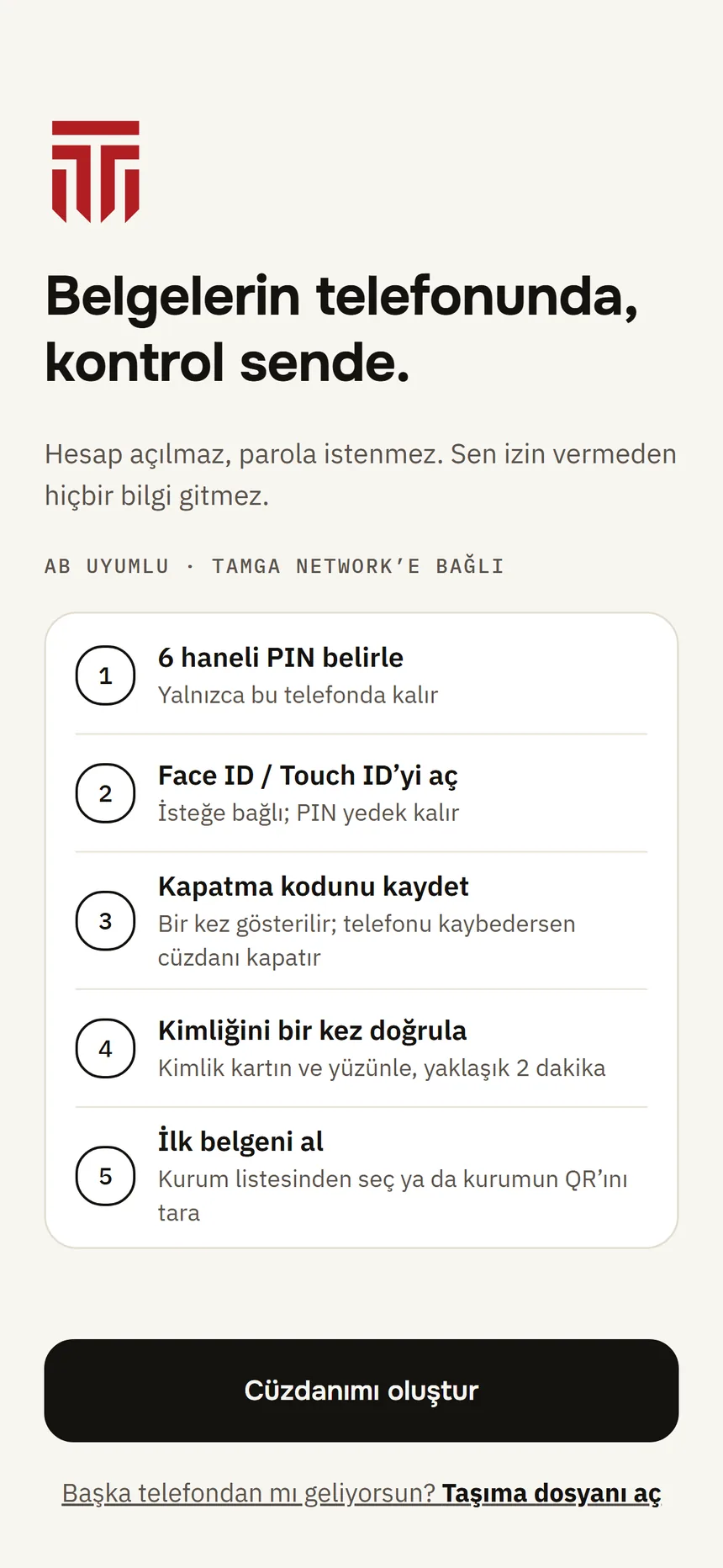
Step 1: Set up your wallet
No account, no password. You choose a PIN, turn on Face ID / Touch ID if you like and save your revocation code.
- 02
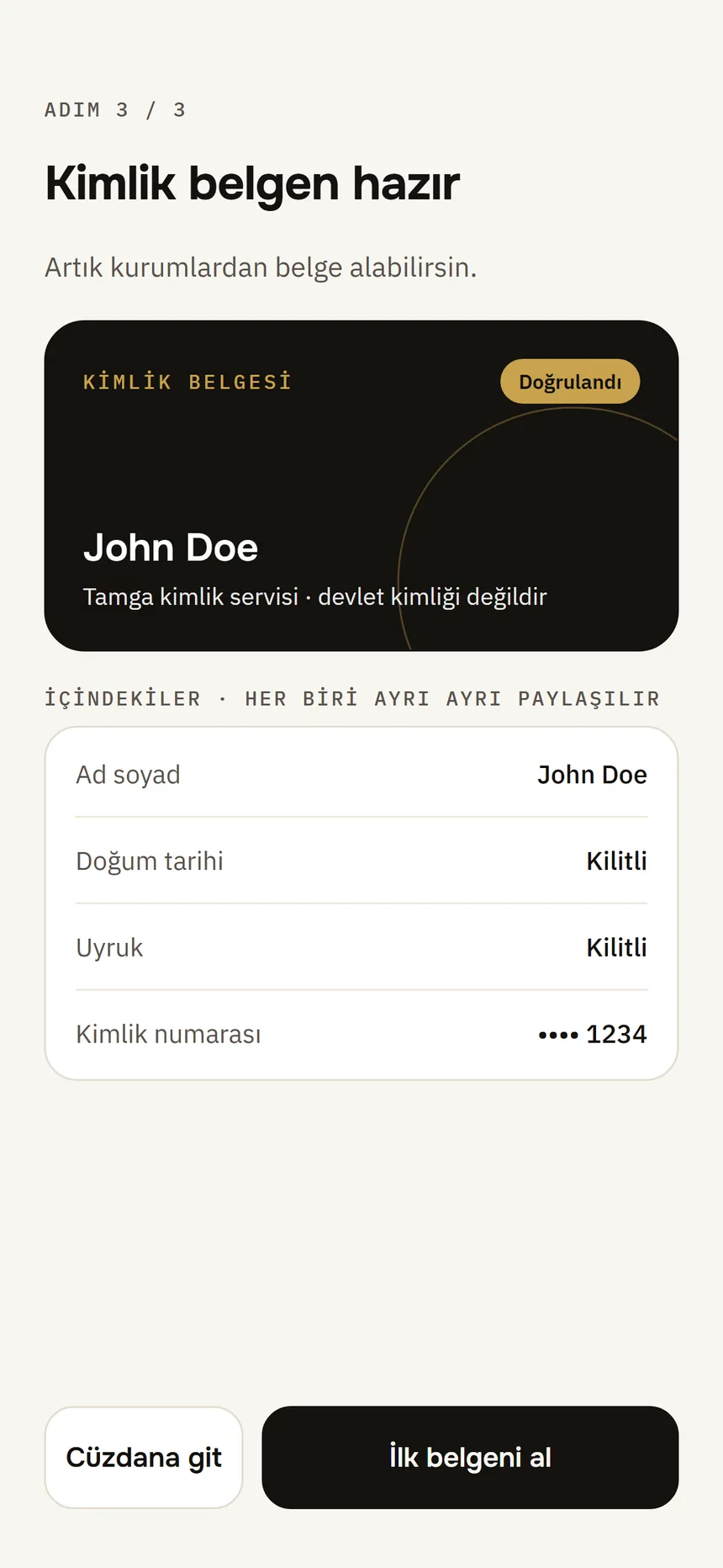
Step 2: Verify your identity once
With your ID card and your face, in about two minutes; your identity credential arrives in the wallet. Images are not stored by Tamga.
- 03
Step 3: Everything on the home screen
Your identity credential, pinned documents and recent activity on one screen. Get document, Show and Scan are one tap away.
- 04
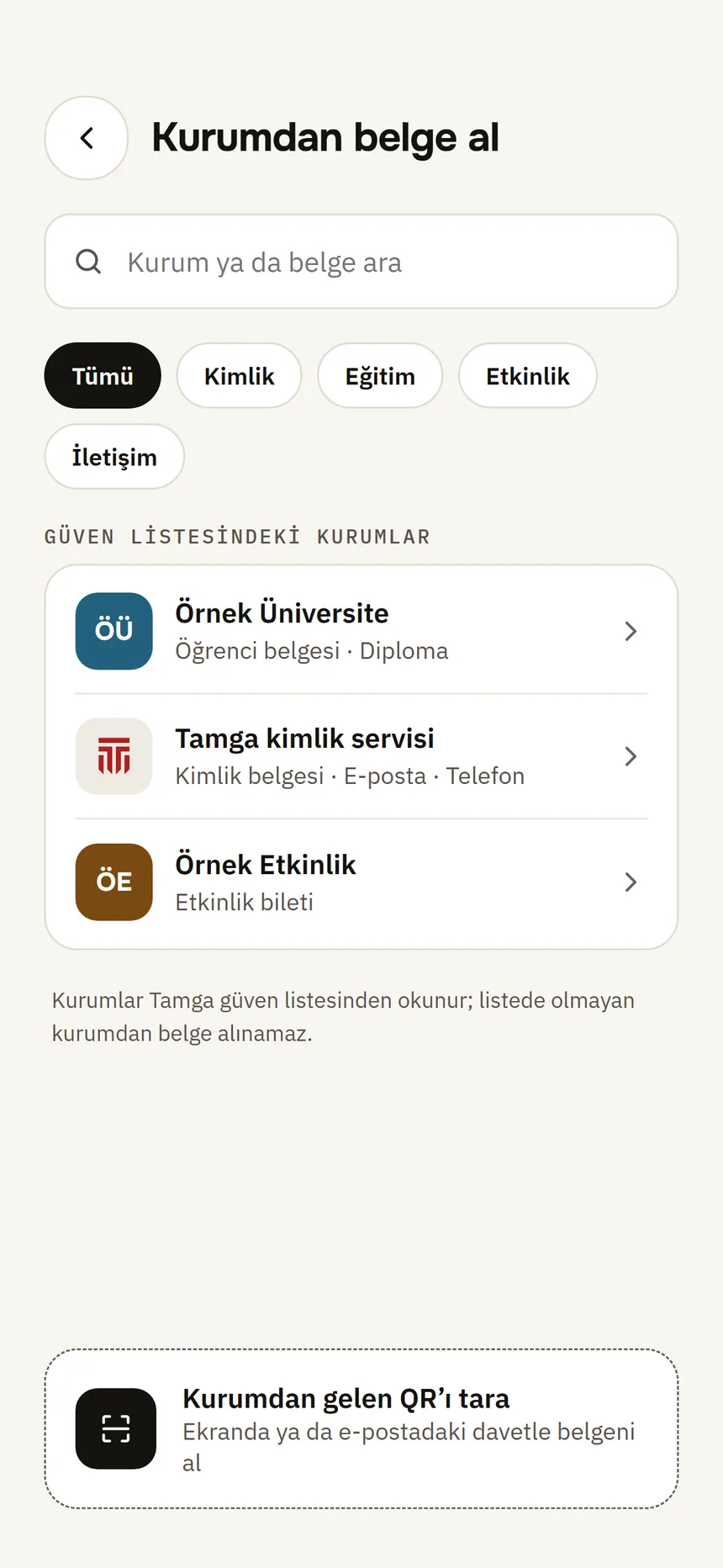
Step 4: Get a document from an institution
Pick the institution from the trust list or scan its QR code. The document arrives signed by the institution, and the signature is checked on your phone.
- 05
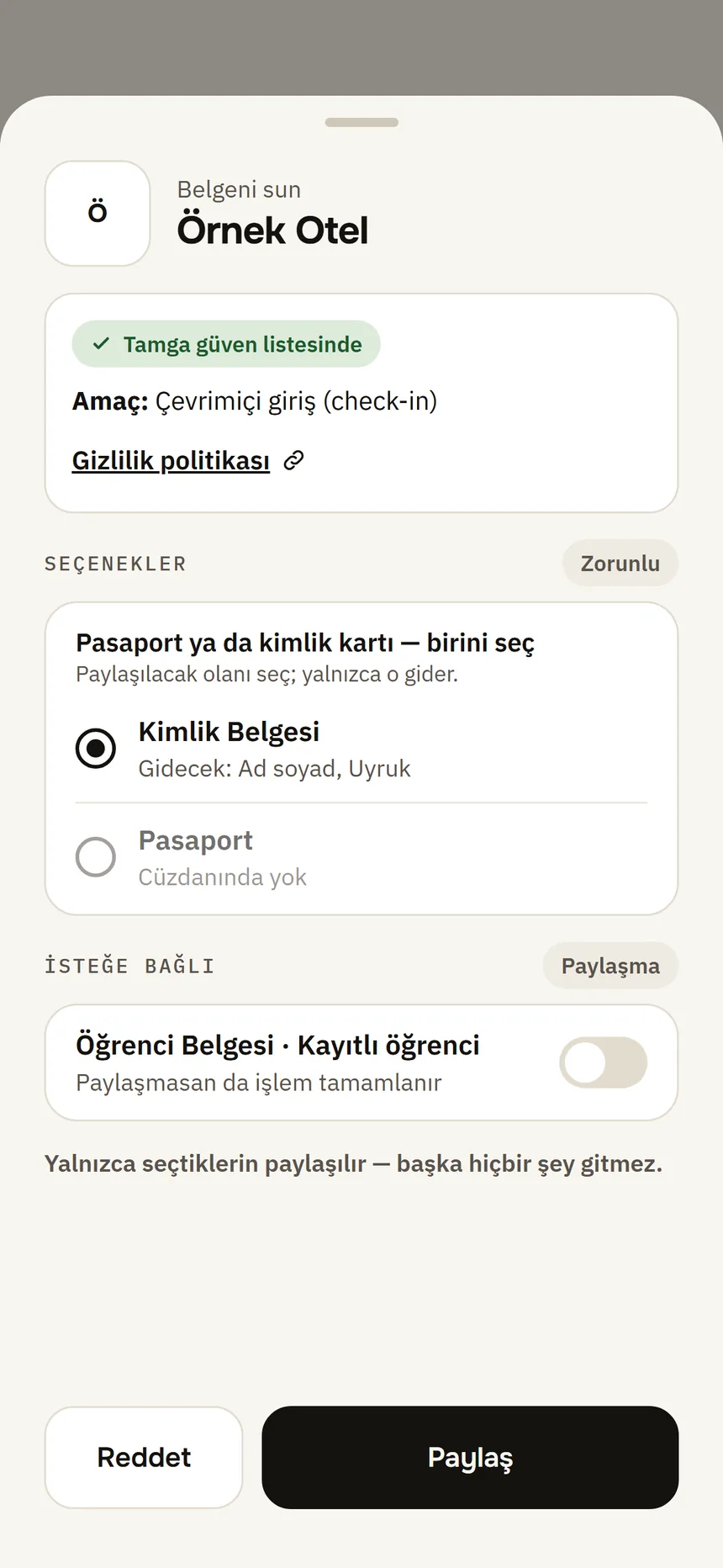
Step 5: See it, then approve it
You see who is asking, for what and for which purpose. Only what you choose is sent, and you approve with your phone's lock.
- 06
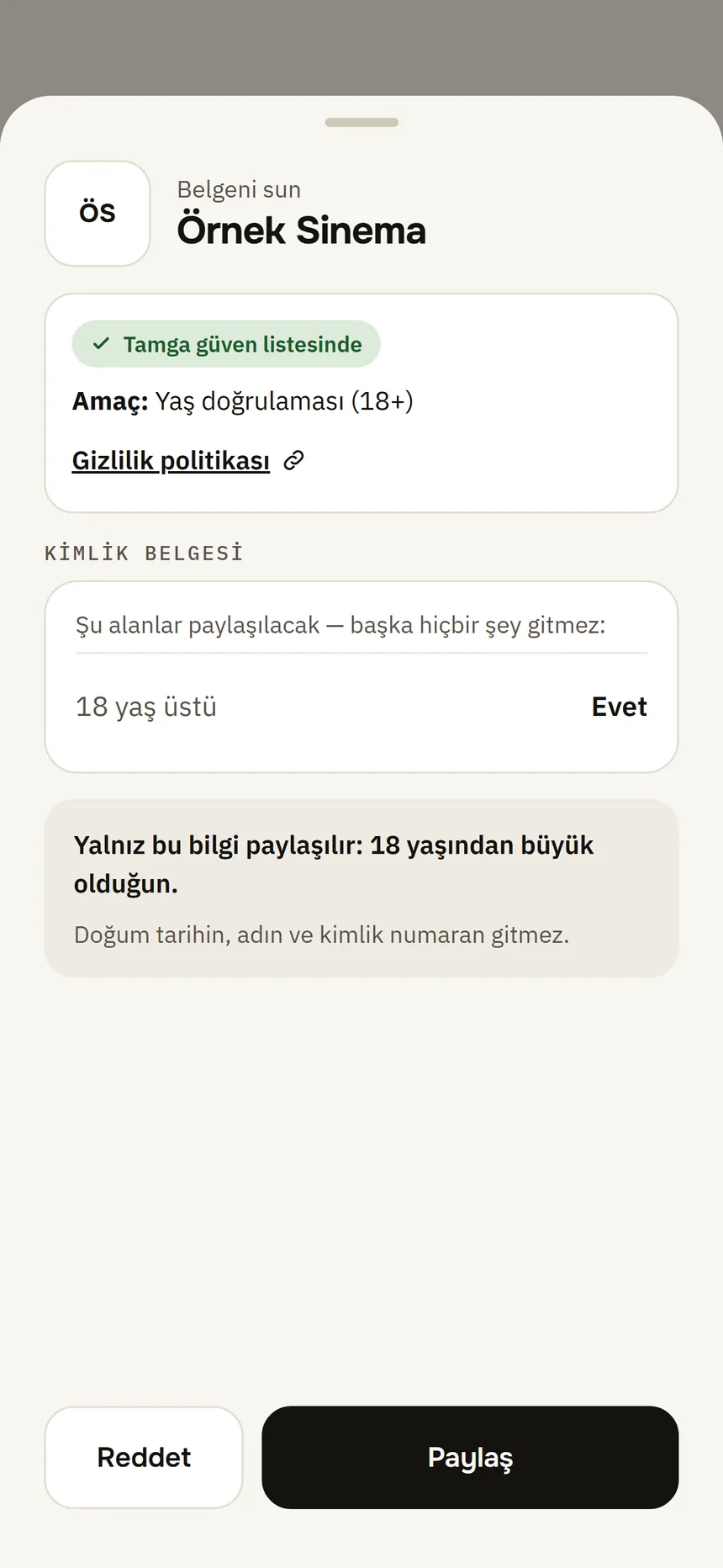
Step 6: Prove your age, keep the rest
If a site asks only for your age, only “Over 18: Yes” is sent; with a zero-knowledge proof your date of birth, name and ID number stay with you.
- 07
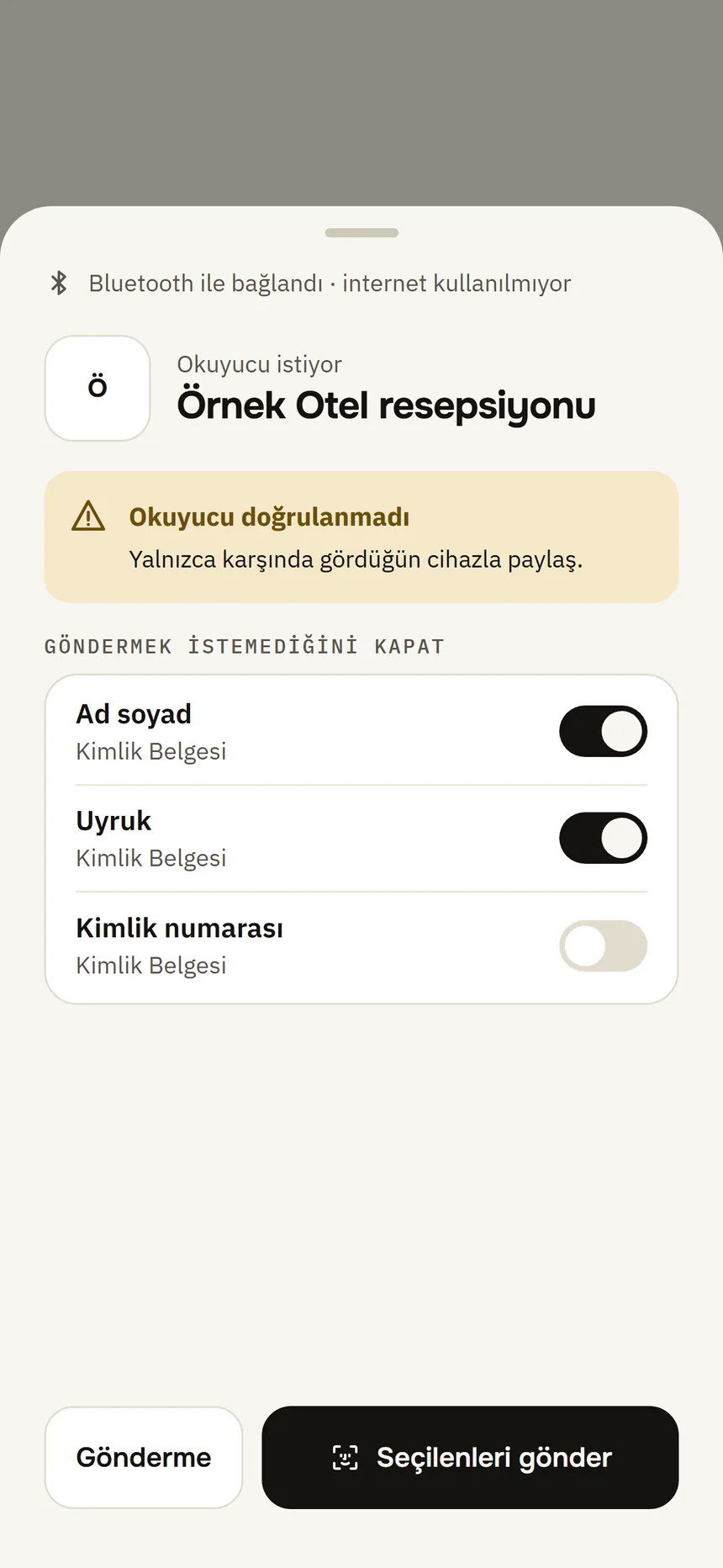
Step 7: Show it in person
At a desk or a door, the reader connects to your phone over Bluetooth; no internet needed. Switch off any field you do not want to send.
- 08
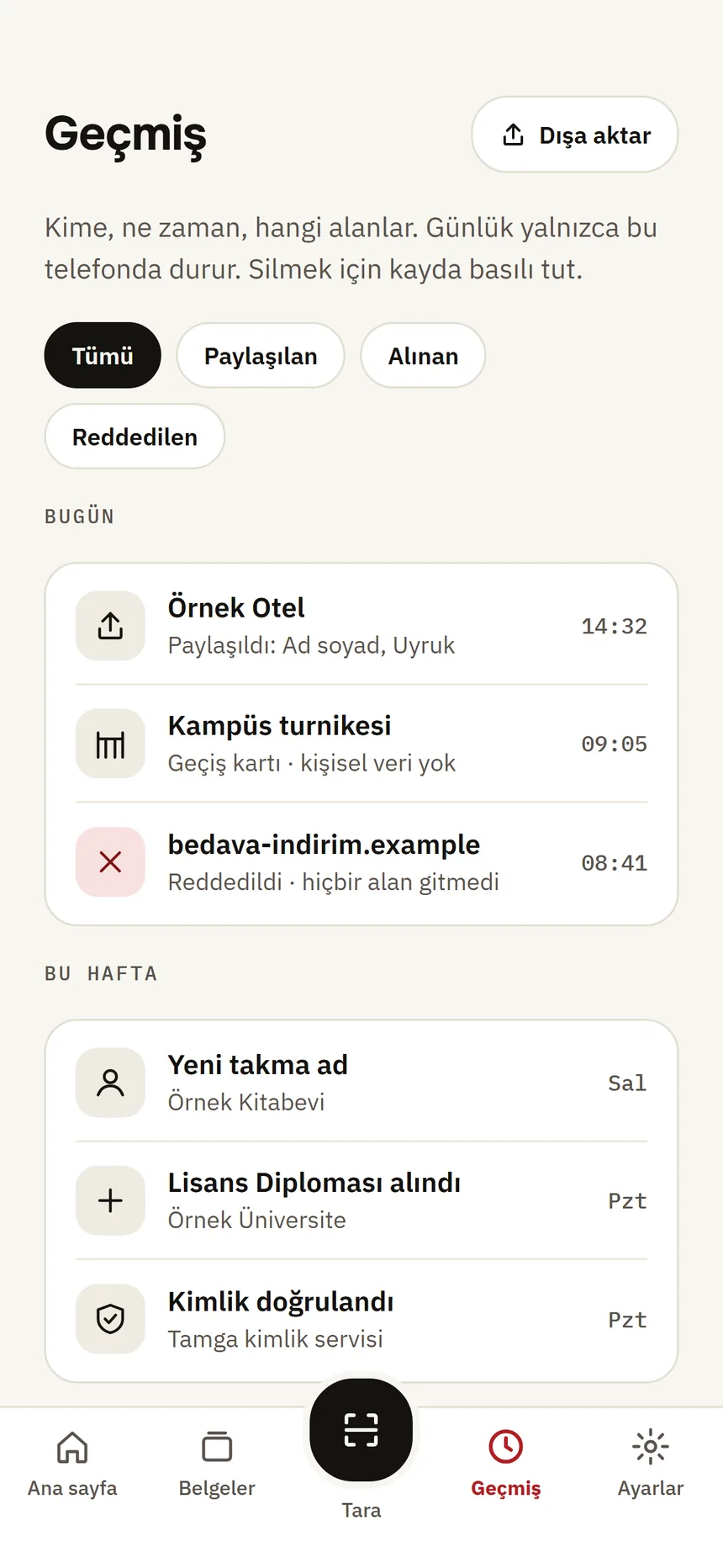
Step 8: See what you shared with whom
Your history stays only on your phone: who got which fields and when, and the requests you declined. Export it if you want.
- 09
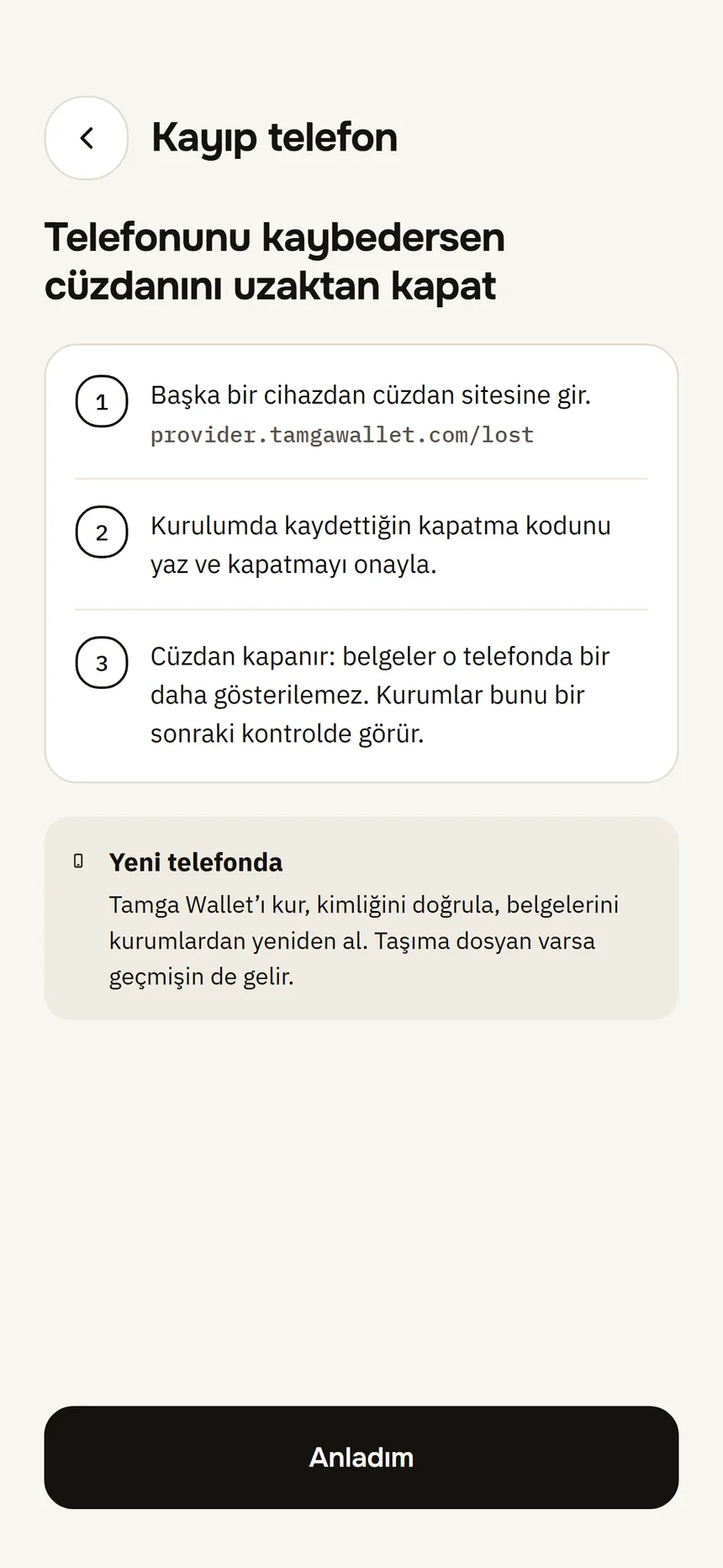
Step 9: Lost your phone? Close the wallet
Close your wallet from another device with the revocation code you saved during setup. No name, phone number or email is asked.
Security and privacy
Your document, your phone, your decision.
A separate pseudonym for every site
“Sign in with Tamga” gives each website a different account identifier. Two sites cannot link you together.
A separate copy for every institution
The same institution always gets the same copy; different institutions get different copies. Institutions cannot combine what you showed them to link you.
Nothing leaves without your approval
You see who is asking, what for and why. You approve each sharing with your phone's own lock — your face, fingerprint or phone passcode.
Your history stays with you
What you showed to whom is recorded only on your phone. If you want, you can export it as a password-protected file.
Zero-knowledge age proof
When your age is asked, only “over 18” is proven: your date of birth, your name, the credential itself and the issuer's signature are not shown. If your phone cannot create the proof, still only that yes/no field is sent.
Lost phone
Lost your phone? You still decide.
Close your wallet without the phone, using the revocation code shown once during setup.
- 01On the closing page you only enter the code; no name, phone number or email is asked.
- 02Institutions stop issuing to a closed wallet; documents from the Tamga identity service are revoked within 24 hours.
- 03On a new phone you get your documents again from the institutions; your pseudonyms come back when you verify your identity again.
Aligned with Europe
Speaks Europe's digital identity standards.
With eIDAS 2.0, the EU requires every member state to offer its citizens a digital identity wallet (EUDI Wallet). Tamga Wallet uses the same open standards as these wallets: document formats, the protocols for receiving and showing, the security profile and the in-person path are the same. Alignment is shown through interoperability testing; results will be published.
Tamga Wallet is not one of the EU's official wallets; it is an independent, EU-aligned wallet.
Read about European alignment →- SD-JWT VC
- ISO mdoc
- OpenID4VCI
- OpenID4VP
- HAIP 1.0
- ISO 18013-5
Does your institution want to issue documents?
Tamga Wallet works under the rules of Tamga Network. Every institution that joins the network can issue its documents directly to this wallet — and to any wallet that follows the network's rules.
Frequently asked
All questions →Is this a government wallet?
No. Tamga Wallet is an EU-aligned wallet and the first wallet of Tamga Network. It is not a national identity wallet and is not affiliated with any government.
Where are my documents stored?
On your phone, encrypted. Tamga keeps no copy of your documents. The issuing institution keeps its own record; if you verified your identity, the identity service keeps a record without personal details. Details in the privacy policy.
Which institutions issue documents?
Institutions that join Tamga Network. They appear in the app's institution list, and the list grows as institutions join.
Do I need an account or a password?
No. There is no account to open and no password. You open your wallet with the PIN you set on your phone, or with Face ID / Touch ID.
Take your documents with you.
Carry your diploma, student card and tickets in one app; share only what is asked, only with your approval.
Requirements
- Android 9 or later
- iPhone (with Secure Enclave) · iOS 16.4 or later
- A screen lock (PIN, pattern, password or biometrics) must be set on the phone