ISO 18013-5 and mdoc: showing a document face to face
ISO/IEC 18013-5 defines mdoc: the format and protocol for showing a document from your phone to a reader in person, over Bluetooth, offline.
By: Tamga Wallet team4 min read
An mdoc (mobile document) is the credential format defined in ISO/IEC 18013-5, the international standard for mobile driving licences. It is built for one situation above all: you hold your phone out at a desk, a door or a roadside check, a reader asks for certain fields, and your phone sends only those, signed by the issuer and bound to your phone, over Bluetooth and without needing internet. Tamga issues the identity credential as an mdoc, next to its SD-JWT VC version.
Why do mobile driving licences use mdoc?
ISO/IEC 18013-5 was published in September 2021 under the title "Personal identification — ISO-compliant driving licence — Part 5: Mobile driving licence (mDL) application". Driving licences are checked in person, often where a connection is poor, by someone who needs to know quickly that the licence is genuine and belongs to the person in front of them. The standard therefore defines the whole exchange between phone and reader, not only the data format: how the two devices find each other, how the session is encrypted, how the reader asks for fields and how the phone answers.
The format turned out to be useful well beyond licences. The EU's architecture for digital identity wallets requires mdoc for person identification data, and the browser Digital Credentials API in Safari accepts only mdoc. That is why Tamga issues its identity credential in both formats, with the same fields and bound to the same key on your phone.
How does a face-to-face check work?
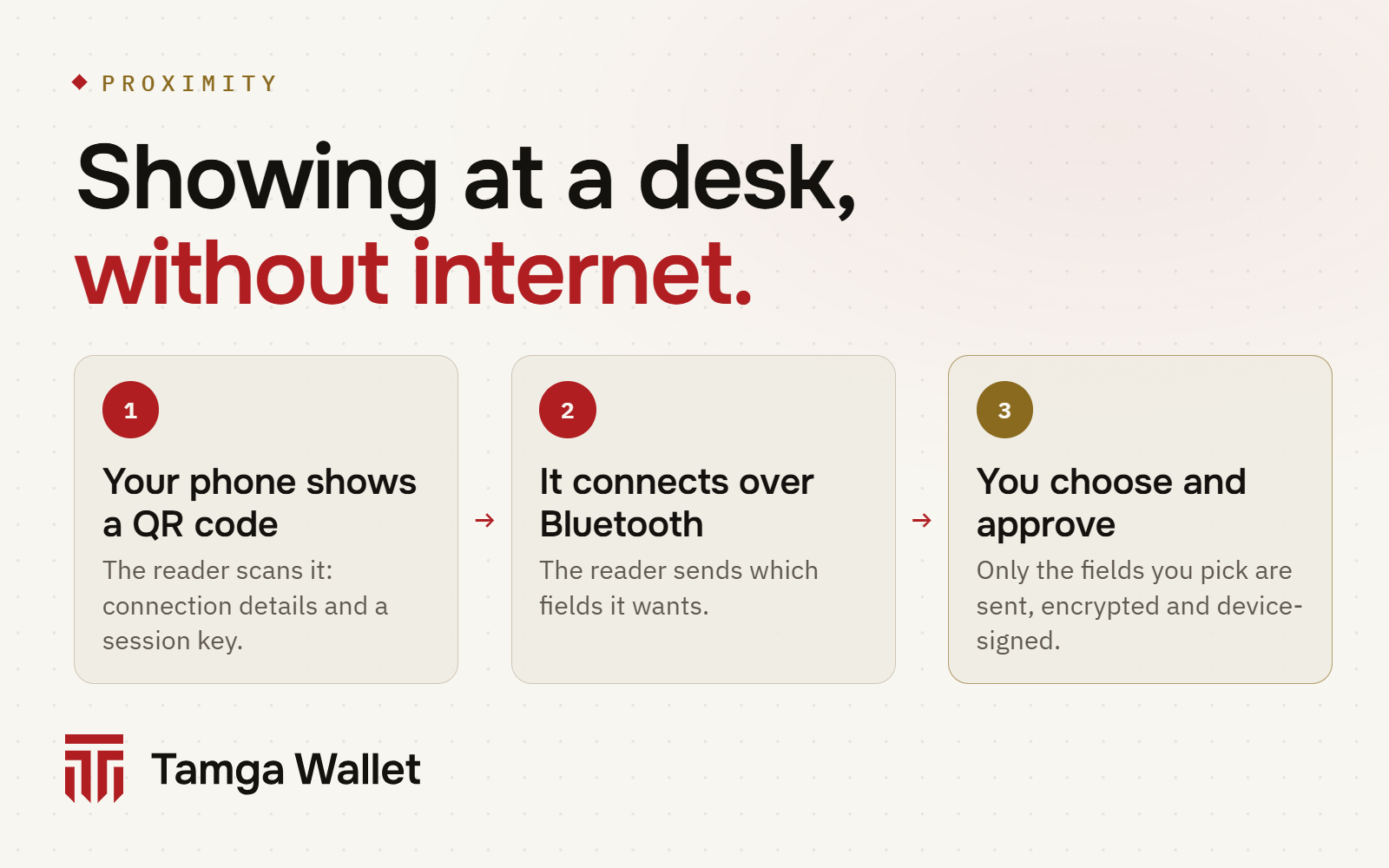
- Engagement. On the document page you tap Show in person (Bluetooth) and then Start. Your phone shows a QR code. It holds no personal data: only how to connect and a temporary key for this session.
- Connection. The reader scans the QR code and connects to your phone over Bluetooth. Both sides derive session keys, so everything after this point is encrypted between the two devices.
- Request. The reader sends the fields it wants. The wallet shows them under "The reader asks for".
- Approval. You turn off anything you don't want to send and tap Send selected, then confirm with your phone's lock. Or you tap Don't send.
- Response. The phone sends only the approved fields, the issuer's signed digest list and a device signature over this session.
No internet is needed on your side, and your phone's NFC is not used. Guide: Show in person.
What is inside an mdoc?
An mdoc is CBOR (a compact binary relative of JSON) signed with COSE. Each field, called a data element, sits in a namespace together with a random value. The issuer signs a Mobile Security Object (MSO) that lists the digest of every element, the public part of your device key and the validity dates.
/ IssuerSignedItem: sent only if you approve this field /
{
  "digestID": 7,
  "random": h'8F3A…',
  "elementIdentifier": "age_over_18",
  "elementValue": true
}

/ MobileSecurityObject: signed by the issuer (COSE_Sign1, ES256) /
{
  "version": "1.0",
  "digestAlgorithm": "SHA-256",
  "docType": "urn:tamga:id:IdentityAttestation:1",
  "valueDigests": { "tamga.id.1": { 7: h'C21B…', 12: h'5E90…' } },
  "deviceKeyInfo": { "deviceKey": { … } },
  "validityInfo": { "signed": 0("2026-10-08T09:00:00Z"), "validUntil": 0("…") }
}
The reader hashes the element it received, finds the digest under the same number in the MSO and checks the issuer's signature on the MSO against Tamga Network's trust list. Elements you did not send stay digests. The device signature, made with the key in your phone's secure hardware, proves that the response comes from the phone the credential was issued to. The idea matches SD-JWT VC, with a different encoding.
mdoc is also the base for Tamga's zero-knowledge age proof: the proof system works over mdoc credentials signed with ordinary ES256 keys.
What works today, and what doesn't yet?
- Bluetooth presentation is implemented in the wallet and in Tamga's mdoc package; testing on devices is still in progress. Until then, short-lived pass codes and the "Get checked" result QR cover desks and turnstiles.
- Reader authentication is not in this version. The wallet tells you "The reader is not verified", so share only with a reader you can see in front of you.
- NFC engagement is not used.
- Online mdoc (a website asking for the mdoc version over OpenID4VP) works with the same request flow as SD-JWT VC: OpenID4VCI and OpenID4VP.
Go deeper
The Tamga Network developer docs cover the package and the decision: `@tamga-network/mdoc` package, Credential formats and ADR-0013: mdoc for the identity credential.
Frequently asked questions
Is mdoc the same as mDL?
mDL (mobile driving licence) is one use of the mdoc format. The same structure carries other documents, such as identity data, each with its own document type.
Does the reader get my whole document?
No. It receives only the elements you approved. The other elements stay as digests in the signed list, and digests cannot be turned back into values.
Can I use Tamga's driving licence information in a traffic check?
No. It is not an official or mobile driving licence and says so on the card. It is SD-JWT VC only and is not shown through ISO 18013-5.
Sources
Related
- Article · StandardsSD-JWT VC: the format behind selective disclosureSD-JWT VC is the credential format that lets a wallet send only some fields of a signed document. A short, plain explanation with a simplified example.
- Article · StandardsOpenID4VCI, OpenID4VP and HAIP: how wallets move documentsOpenID4VCI brings a document from an institution into your wallet, OpenID4VP takes it to a verifier, and HAIP fixes the options the EU relies on.
- Article · ConceptsZero-knowledge proof: saying "I'm over 18" and nothing elseA zero-knowledge proof shows a statement is true without revealing the data behind it: what it proves, what it hides, how Tamga Wallet uses it.
- GuideShow in personAt a desk or a door there are two ways: the other person scans a result QR code with their own phone camera (Get checked), or a reader device connects over Bluetooth.
- GuideAdd driving licence informationYou show your driving licence card once; the categories and dates printed on it come to your wallet. It is not an official driving licence.
Step-by-step help is in the Guide
Everything from setup to a lost phone, with the app’s own screens.
Get Tamga Wallet
On the App Store and Google Play. Carry your diploma, student card and tickets on your phone.